
Four languages
The panel, the capsule, the commands and the templates exist in English, French, Spanish and German. The AI answers in the language of your request.
CRAFT AI is a mod for Minecraft: Java Edition. Describe a house, a castle or a whole village, and Claude builds it in your world. Every build is different, and one click undoes it.
A mod forMINECRAFT
Illustrative 3D scene, generated in your browser.
No commands to learn and no blueprints to draw. You write what you want in your own words; the AI builds it in front of you.
The CRAFT AI panel opens over the game. Your world keeps running behind it.
In your own language, as precise or as vague as you like: “a house with a vault room”, “a lighthouse on the cliff”.
The steps stream live and a small capsule keeps you posted while you play. If you don’t like the result, undo it in one click.
A simulation in your browser. Pick a template or write your own request, then undo it, redo it or ask for another version.
 Simulation
Simulated demo: the real mod builds larger, more detailed and unique works directly in Minecraft.
Each picture is a screenshot of Minecraft: a build made by the AI from a single sentence, with no hand editing.
Builds made in a flat world with an earlier version of the mod. Durations include the AI’s thinking time.
Four builds made by the AI from one sentence each. Pick a spot to see the sentence, the size and the build.
Each request draws a random creative direction (a cultural lens, materials, a silhouette, a signature detail, a story, a light) and hands it to the AI. Your own words always win.
A direction drawn for “Build a house”
The lists come from the mod: more than 60 million combinations. In the game, the AI receives this paragraph with every request.
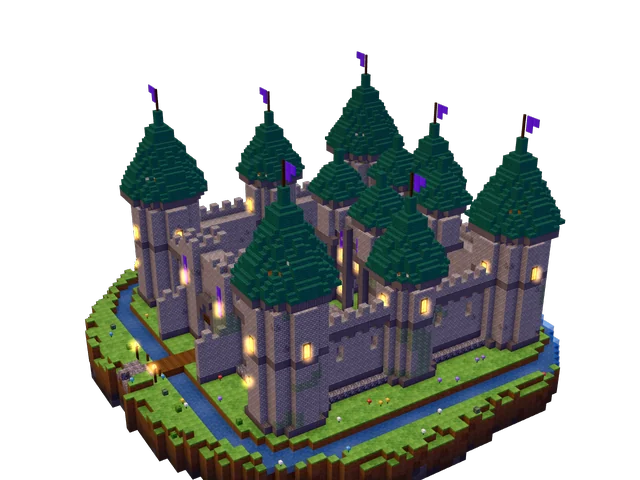
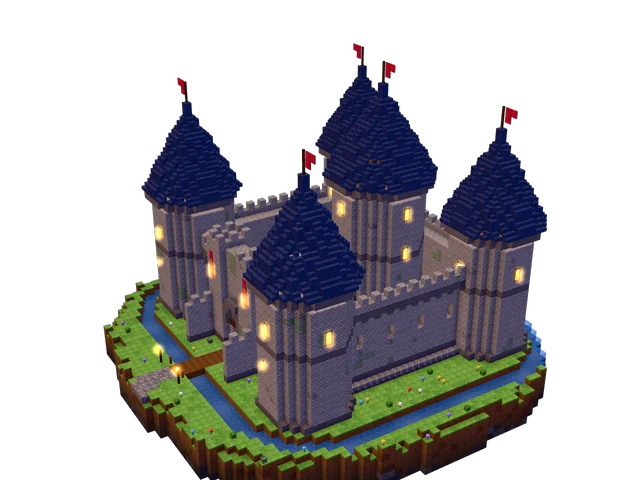
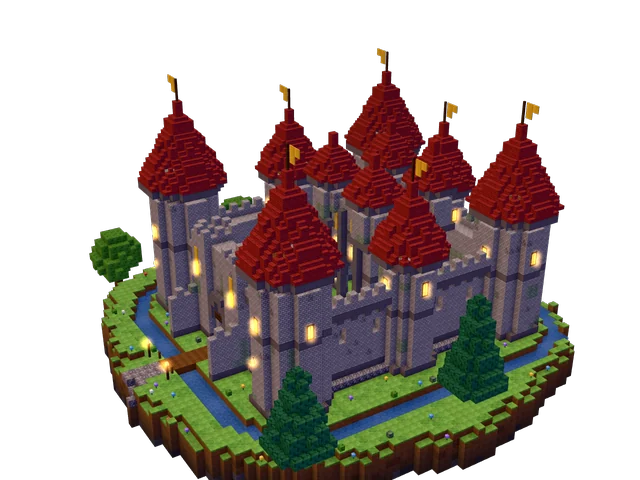
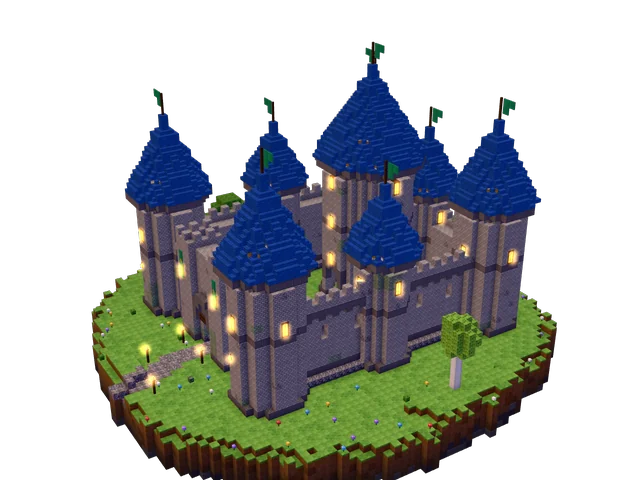
At the Masterpiece level the AI doesn’t just stack blocks. It follows ten steps, as on a real building site, then proofreads its own work before answering. It has 18 tools to look at the terrain, place blocks and check the result.
Three levels: Quick, Detailed and Masterpiece (the default). The higher the level, the more the AI thinks, and the longer it takes.
It decides the identity of the place: its story, silhouette, materials and colours.
It surveys the terrain, picks the spot and levels the ground so nothing floats or sinks.
Foundations, floors, walls and corner posts, framed openings, towers and wings.
A rhythm of windows, lintels, shutters, balconies: never a blank wall.
At least five matching materials, aged stone, moss, cracks: texture, not flat colour.
Overhangs, ridges, dormers, chimneys: never a bare pyramid.
Lanterns, torches, lit windows: nothing dark enough to spawn monsters, outside or in.
Real rooms, stairs that connect the floors, furniture, doors that work.
Paths, gardens, trees in groups, plants and props that tell a story.
It draws the facades and the plan, compares them with its intent and fixes flaws before answering.
Four languages, undo for everything, and safeguards that spare you nasty surprises.
The panel, the capsule, the commands and the templates exist in English, French, Spanish and German. The AI answers in the language of your request.
Every request is an undoable build, down to the contents of chests. Redo it if you change your mind.
The mod opens a small server on your machine only (127.0.0.1, random port, secret token). It opens no port on a Minecraft server.
At most 100,000 blocks per build and 320 blocks around you. Admin commands such as op, ban or stop are refused, and nothing is changed if a build is refused.
CRAFT AI works with the Claude subscription you already have. No API key to paste: your AI usage counts against your own plan, on your own computer.
Claude Code is Anthropic’s command-line app. CRAFT AI starts it for you.
https://claude.com/claude-codeOpen a terminal, run claude, then type /login and choose your Claude subscription. This is the account CRAFT AI will use.
claude/loginThe Settings page of the panel shows “Claude account: signed in (subscription)”. If it says otherwise, it tells you what to do.
If a variable such as ANTHROPIC_API_KEY is set on your computer, CRAFT AI ignores it so that your subscription is the one used. CRAFT AI never sees or stores your Claude credentials.
The beta works in singleplayer, with your own Claude account.
The mod and Fabric API (required). You also need Fabric Loader for Minecraft 26.3.
Downloading is free. Building needs a licence key: €15, paid once, for 2 devices. You receive the key by e-mail right after your purchase.
SHA-256: 739bc72cebaa9f9019384553f17b47bf7ca596b622c19d96618dbd3a111c2e88
Put both .jar files in the mods folder of your Fabric profile, and remove any older craftai-*.jar.
~/Library/Application Support/minecraft/mods%appdata%\.minecraft\mods~/.minecraft/mods~/.lunarclient/profiles/26/mods/fabric-26.3Usual paths above. With another launcher, use the mods folder of your profile.
Start Minecraft 26.3 with Fabric, open a singleplayer world, press K and describe your first build.
Kopens the CRAFT AI panel (rebindable in Options → Controls).
Everything to know before installing the beta.
The mod starts a small local server on your machine and launches Claude Code (which you have installed and signed in). The AI builds in your world by calling 18 tools that run inside the game. Your requests and your builds never go through a CRAFT AI server: the mod only contacts our licence server, to check your licence.
Yes: CRAFT AI relies on Claude Code, which must be installed and signed in on your computer. During the beta the mod uses your own subscription. See “Sign in with your Claude account” above. A CRAFT AI licence key is needed too: see “How do I activate my licence?”.
Placing 100,000 blocks takes about 0.3 seconds in the game; the time goes into the AI’s thinking. A Quick build is much shorter than a Masterpiece, which takes 5 to 20 minutes (a 34,738-block castle took 15 minutes). You can keep playing, or stop with /stop. The mod shows an estimate for each level before you send (for example “≈ 6–16 min” for Masterpiece) and a clock while it builds.
Yes. Every request is a transaction: one click on Undo (or /undo) restores the exact blocks from before, chest contents included. The journal keeps up to 400,000 blocks per dimension.
It cannot run admin commands, it is limited to 100,000 blocks and to 320 blocks around you per request, and everything is undoable. Still, keep a backup of your important worlds.
Not yet: the beta works in singleplayer, and the mod opens no port on a server.
Your requests and builds stay between the game and your own Claude Code, under the terms of your Claude account: they never go through a CRAFT AI server. The mod contacts our licence server (Supabase, in the EU) only to check your licence. It sends your licence key, a random device ID (hashed by the server), a device label made of your operating system and processor architecture, and the mod version; the server also sees your IP address, as with any request. If you create an account on this website, we also keep your email, your password (hashed by the authentication provider) and the list of your licences and devices. No analytics, no advertising trackers, no third-party cookies; the account page keeps your sign-in in your browser’s local storage until you sign out.
No. CRAFT AI uses the Claude subscription you signed in with, through Claude Code on your computer. If an API key variable such as ANTHROPIC_API_KEY exists on your machine, the mod ignores it so that your subscription is the one used.
Yes. Type /zone wand, left-click one corner and right-click the opposite one with the wand, then write what you want (“Right here, I want a bridge”). The AI builds only inside that zone and the game refuses everything outside it.
After your purchase you receive a key that looks like CRAFT-XXXX-XXXX-XXXX-XXXX. In the game, press K and paste it in the CRAFT AI field, or type /license followed by your key. That is all: the mod needs no account. If you like, create an account on the Account page of this website (the “Create account” tab) and add your key there to see your licences and your devices from any browser.
A licence covers 2 devices by default: each computer where you paste the key takes one place. You can free a place from the Account page, or with /license release in the game on that computer. The mod checks your licence online and keeps working offline for up to 7 days after the last successful check.
A CRAFT AI licence costs €15, paid once: no subscription. It covers 2 devices. The download is free; the licence key you receive by e-mail after your purchase unlocks building. You also need your own Claude subscription, which Anthropic bills separately: CRAFT AI does not resell it.